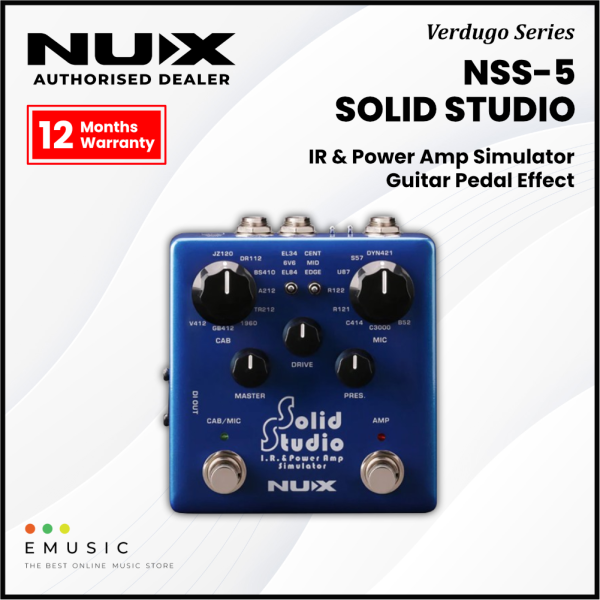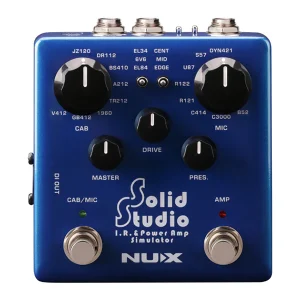
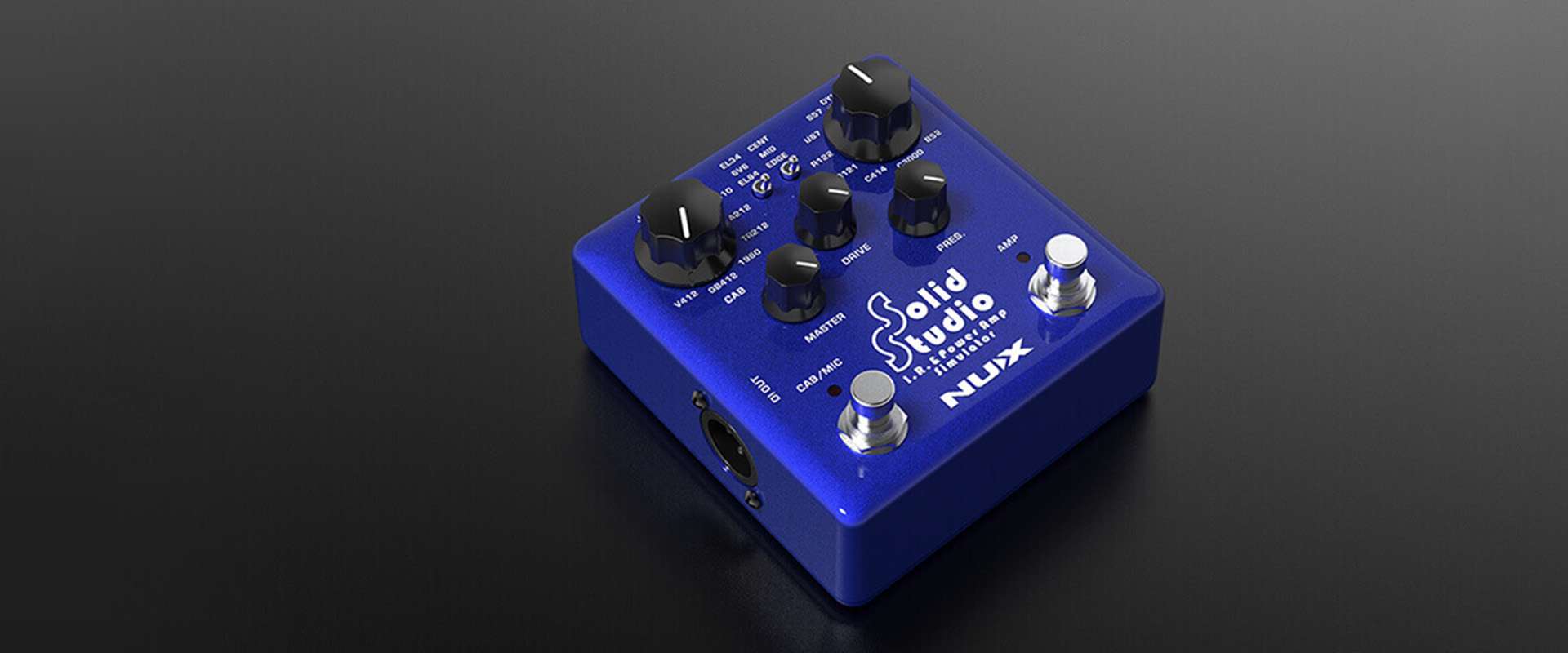
NUX Solid Studio was created to address: limited gear availability, and the cumbersome transport reality of physical amp/speaker cabinets.
Over many years of research, Solid Studio was specifically developed to fill the essential needs of discerning musicians and sound technicians, including the art of mic-ing instrument amplifiers on stage or in the studio. Solid Studio provides ease-of-use, reliability, versatility, and, above all, incredible audio quality.
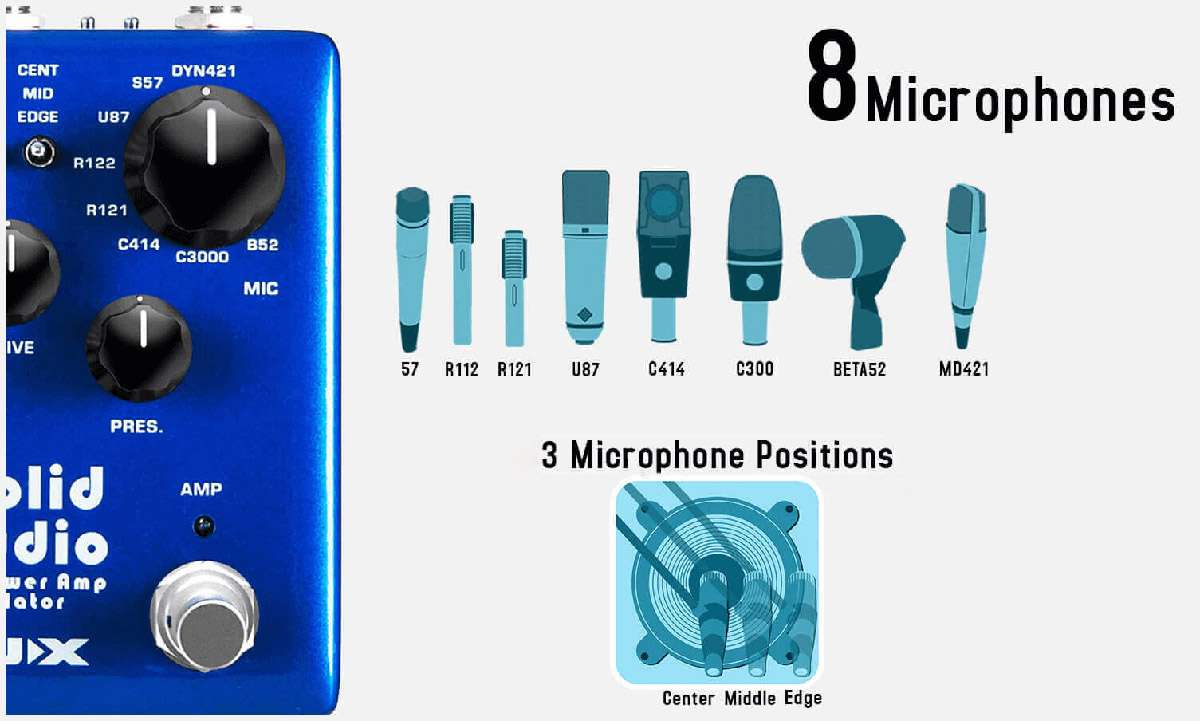
Virtual mic-ing is achieved by choosing 1 cabinet and 1 microphone, and fine-tuning the position of the microphone using the mic position switch. Plus, you can add the tube sound by engaging the power amp simulation.
Solid Studio comes with 8 speaker cabinet simulations. All the cabinet models inside the Solid Studio sound and feel as great as their original counterparts.
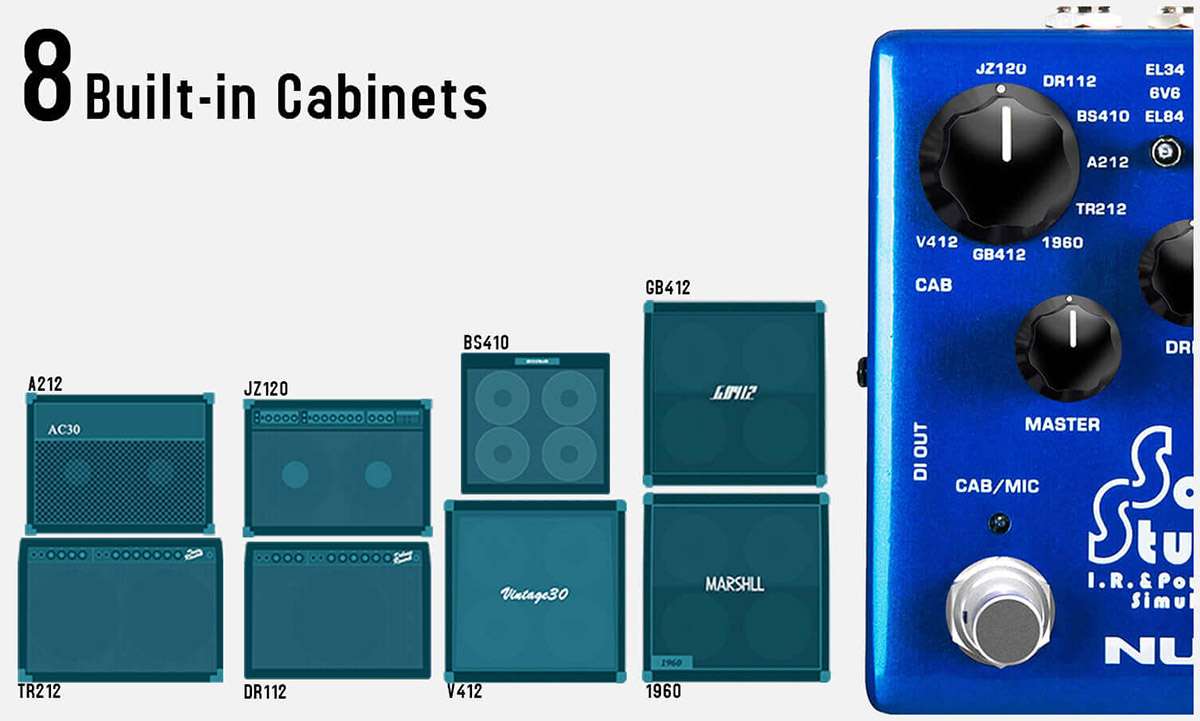
And there are 8 microphone models you can combine with any cabinets. Also, you can adjust microphone position for fine tuning.
The important characteristic of Space Echo is the spring reverb. Core-Image technology captured the natural spring reverb sound, combined the warm and organic delay, TAPE ECHO gives you lush echoes.
Hold the ON foot switch, you can engage self-oscillation to get the infinite feedback.
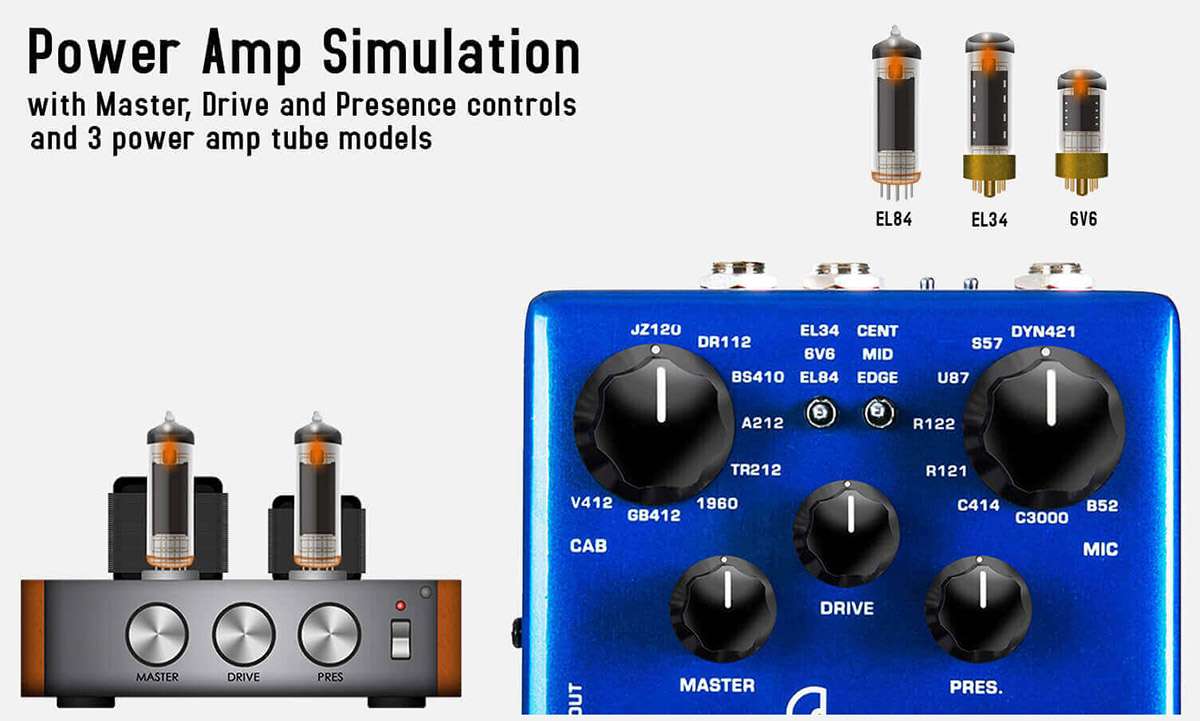
Solid Studio Power Amp Simulation offers three power tube models that deliver corresponding tonal characteristics: EL84, LE34 and 6V6.
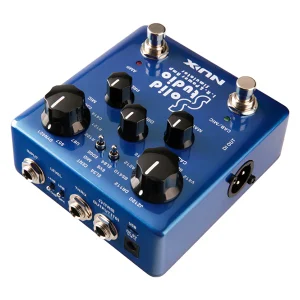
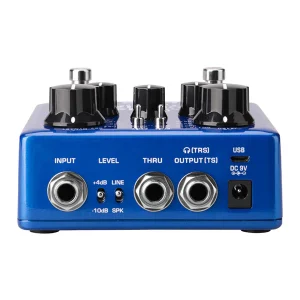
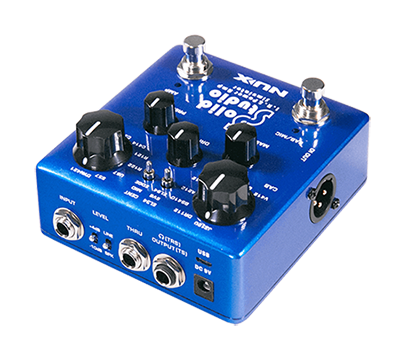
NUX Solid Studio has a 6.35mm mono input with an input signal level toggle switch (-10dB / +4dB) for fitting various instruments. And it has 3 outputs: simulation dedicated (TRS) STEREO OUTPUT, and DI OUT, and a bypassed “THRU” output.
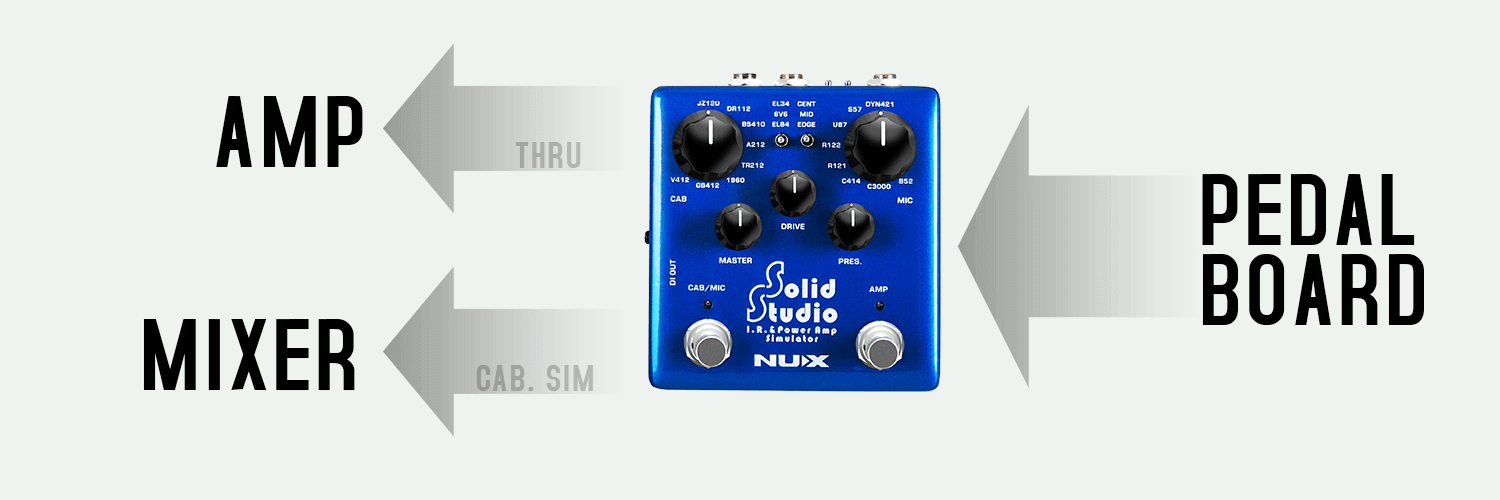
Solid Studio offers a variety of connection solutions to give you correct guitar tones with or without a real speaker cabinet.
Gig Saver
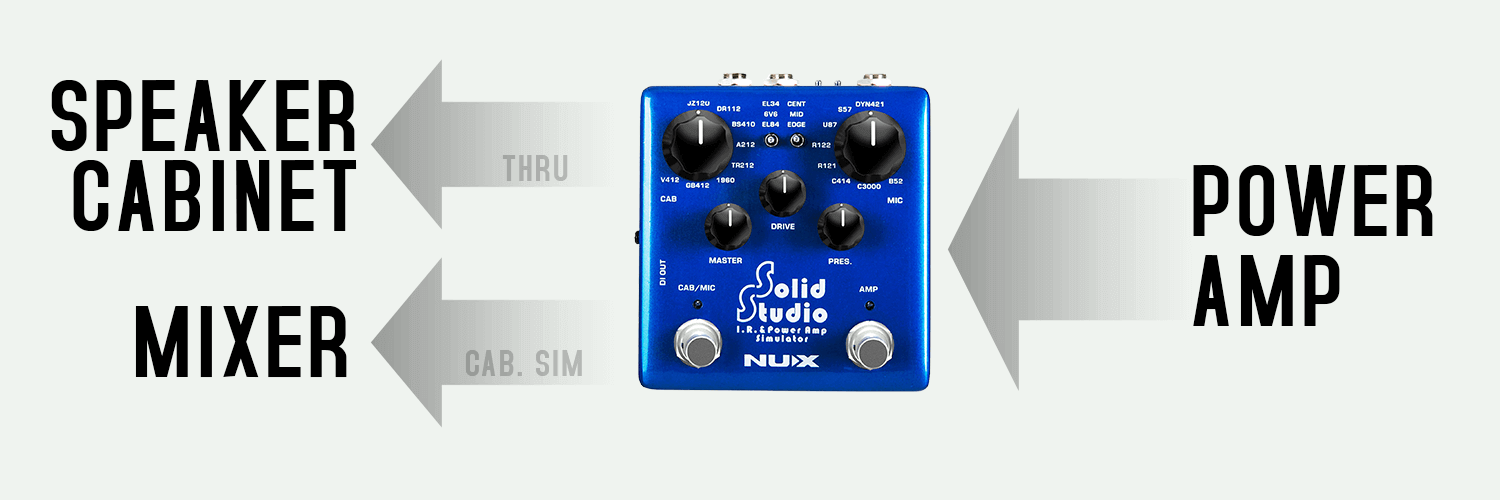
– You can place the Solid Studio at the end of your pedal board, and you can send the simulated sound to the mixer while you can send your original signal to the amp. It’s an alternate option for amp / cabinet mic-ing on stage.
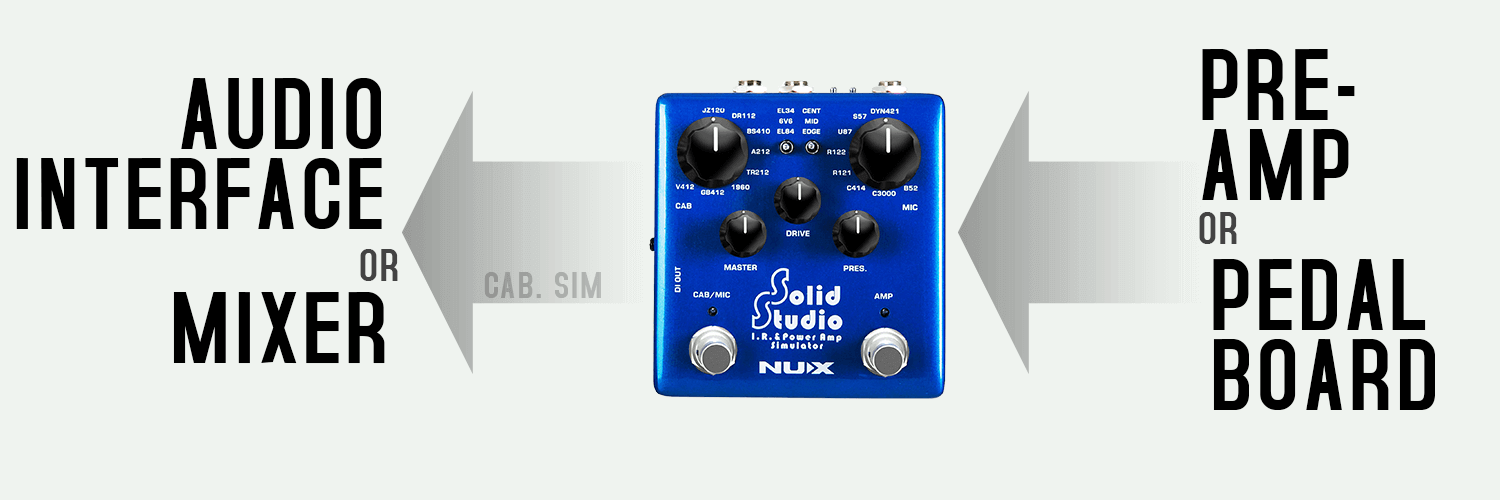
– Solid Studio is good for sitting between your pedals and audio interface for silent direct recording. Let the Solid Studio handle the speaker cabinet and microphone part.
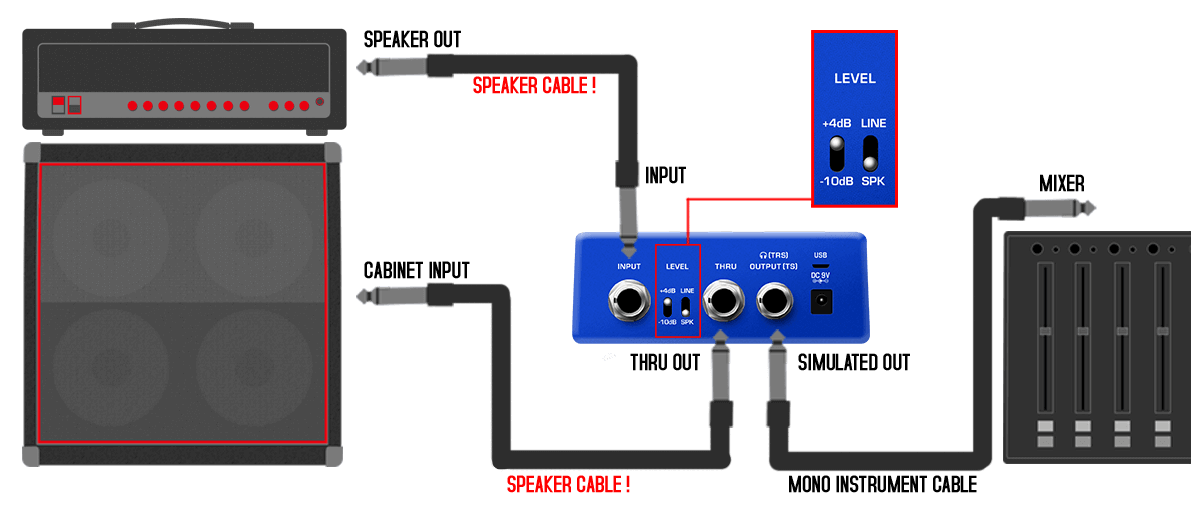
– By placing the Solid Studio between the amp and the cabinet, while still using your real cabinet for stage monitoring, you can split a DI signal with cabinet simulation to the mixer from Solid Studio. The Solid Studio DOES NOT provide a load to the amplifier; therefore, a real cabinet or a loadbox MUST be connected to the THRU jack of the Solid Studio, or there is risk of damaging the amplifier.
– The amplifier’s speaker output must be connected to the Solid Studio’s input by a SPEAKER CABLE.
– The Solid Studio’s input mode must be switched to +4dB.
– The Solid Studio’s THRU output must be connected to the speaker cabinet’s input by a SPEAKER CABLE.
– The Solid Studio’s output mode must be selected as SPK (SPEAKER).
You can easily emulate the sound of any guitar cabinet by loading different IR (Impulse response) files to NUX Solid Studio.
The Solid Studio’s IR resolution is 2048 samples and 46ms, which is higher than the common quality standard that most of the IR loaders are using today: 1024 samples and 20ms capturing length. Some well-known profiler devices offer 2048 samples / 40ms length.
What makes the Solid Studio stand out? It offers 46ms length, which means it can perfectly read all the frequencies. Comparing the length, 20ms is already enough to capture a sound profile with an efficient result, but it’s not enough to catch the lower frequencies. That’s why devices with high-quality usually provide 40ms length – it means higher resolution and better quality.
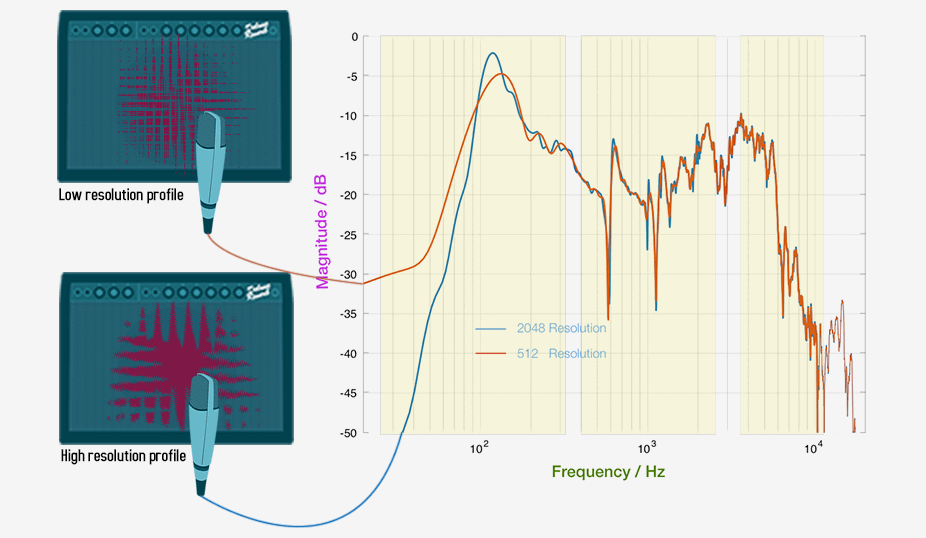
The highest resolution quality limit of the IR is 50ms; it is the REAL sound. Considering all the processes on the signal from your guitar to your ear, Solid Studio delivers the signal faster than the blink of an eye with the greatest result. Thanks to Solid Studio’s high-quality processor and perfect algorithm, the signal latency from input to output is less than 1ms.
Many of the IR loaders’ signal latencies are around 2ms, and each additional digital pedal in the signal chain also increases the latency. For example, the fastest multi-effect pedal needs 2ms to deliver the sound. If you use an IR loader together with this multi-effect pedal, the total latency will be 4ms, and a guitar player can ~barely~ feel that. If it’s more than 5ms, it’s obviously slow, and it’s not able to play.
You can capture any speaker’s profile easily with Solid Studio. Create your own IR file and save it.
First, make all the connections (you can see the picture below):
– Adjust the microphone position and connect to the Mic Preamp.
– Mic Preamp Output to Solid Studio Input.
– Solid Studio Output to Power Amp in / Return.
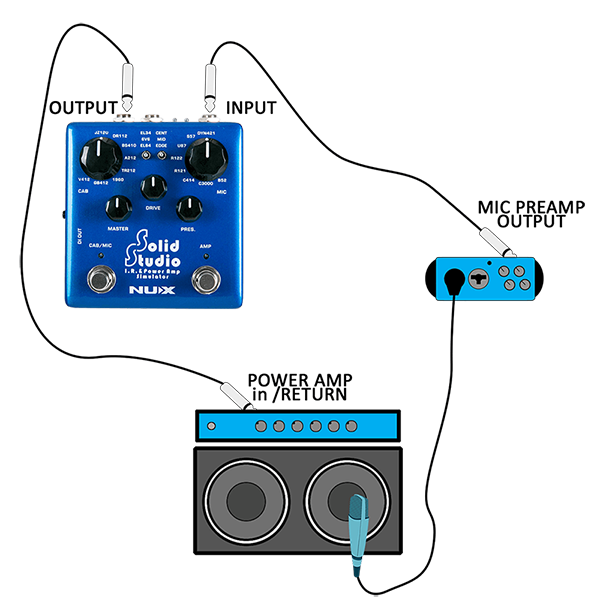
Now follow these steps:
– Push and hold both footswitches on Solid Studio and plug in the power cable. Solid Studio will start running in IR capturing mode
– Select the save position on Solid Studio, you can dial up any preset you want. Choose a speaker cabinet, mic position and a microphone (and please note it). This will be your preset recall position as long as you keep the file here. 8 Speaker Cabinets x 3 Microphone positions x 8 Microphones = 192 dial up positions
– Press CAB/MIC footswitch ~ and it will capture the profile. Usually it takes couple of seconds, just wait until the LED’s stops blinking.
Your very own Impulse Response file is ready to rock!
| Attribute | Specification |
|---|---|
| Series | Verdugo Series |
| Technology | Core-Image Digital Modeling |
| Max Delay Time | 1600ms (via Tap Tempo) |
| Multi-Head | 7 Combinations (Selectable via Knob) |
| Looper | 40-Second Stereo (SOS Mode) |
| Display | OLED Screen for BPM/MS and Parameters |
| MIDI | MIDI In/Out (TRS) |
| I/O | Stereo In/Out, Expression Pedal Jack |
| Power | 9V DC (Negative Tip) / USB-C for Editor |
| Dimensions | 105(L) * 115(W) * 58(H) mm |

![[PROMOTION] Boss GT-1 Guitar Multi-effects Pedal (GT1 / GT 1)](https://emusic.com.my/wp-content/uploads/2025/04/Boss-GT-1.png)